
Hair cards
The process system is new and only in the early access version of Human Generator. It replaces the process tab of version 4.0, which is deprecated. Details can still change; if something doesn't work or looks wrong, let us know.
The hair, eyebrows, eyelashes and beards of Human Generator are particle hair: thousands of strands that only Blender can render, and that no file format carries. Haircards replaces every hair system by a mesh of textured, transparent cards generated from the strands, with a haircap on the scalp and textures baked from the hairstyle itself. The cards are skinned to the head and neck, so they move with it.
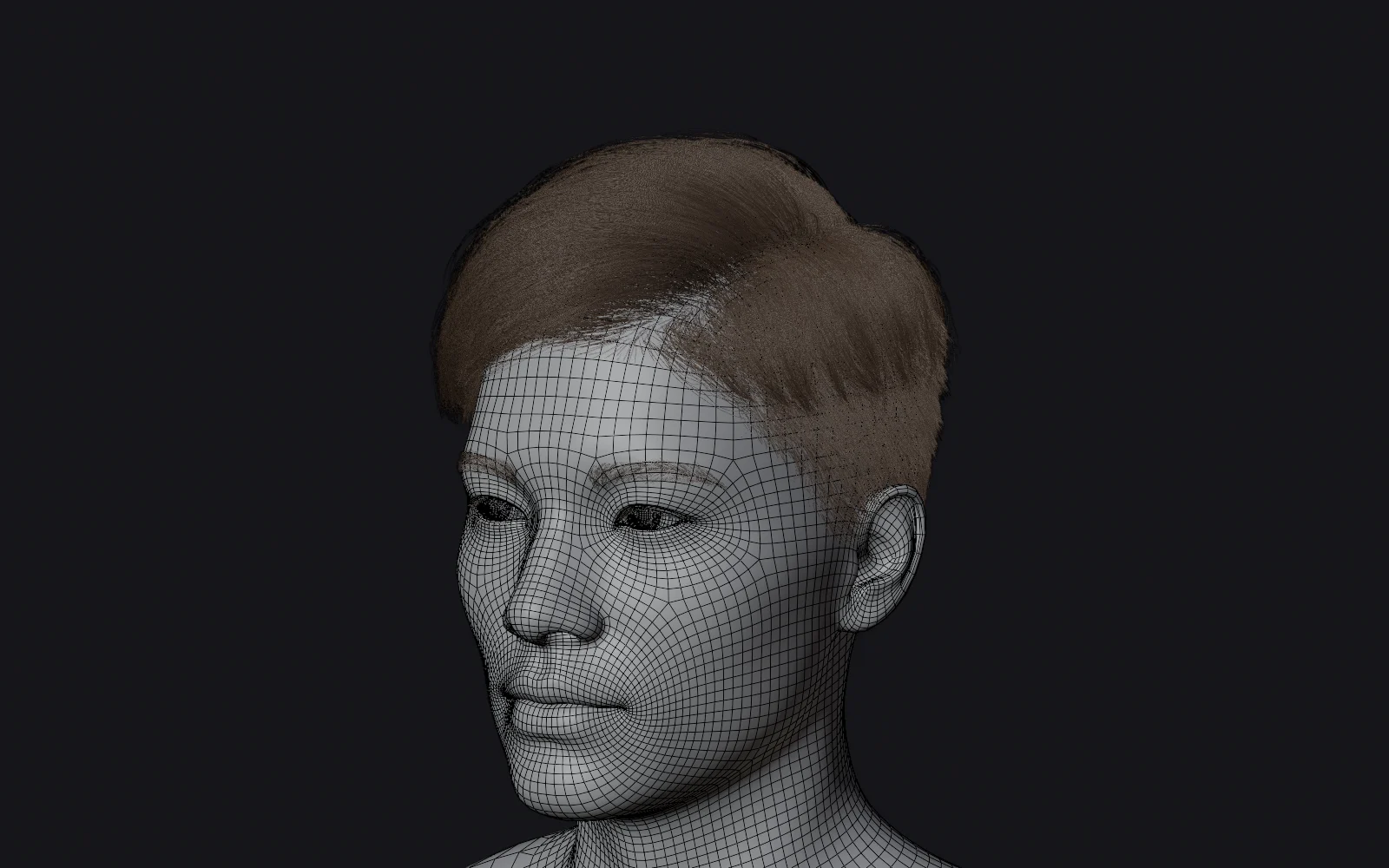 Particle hair
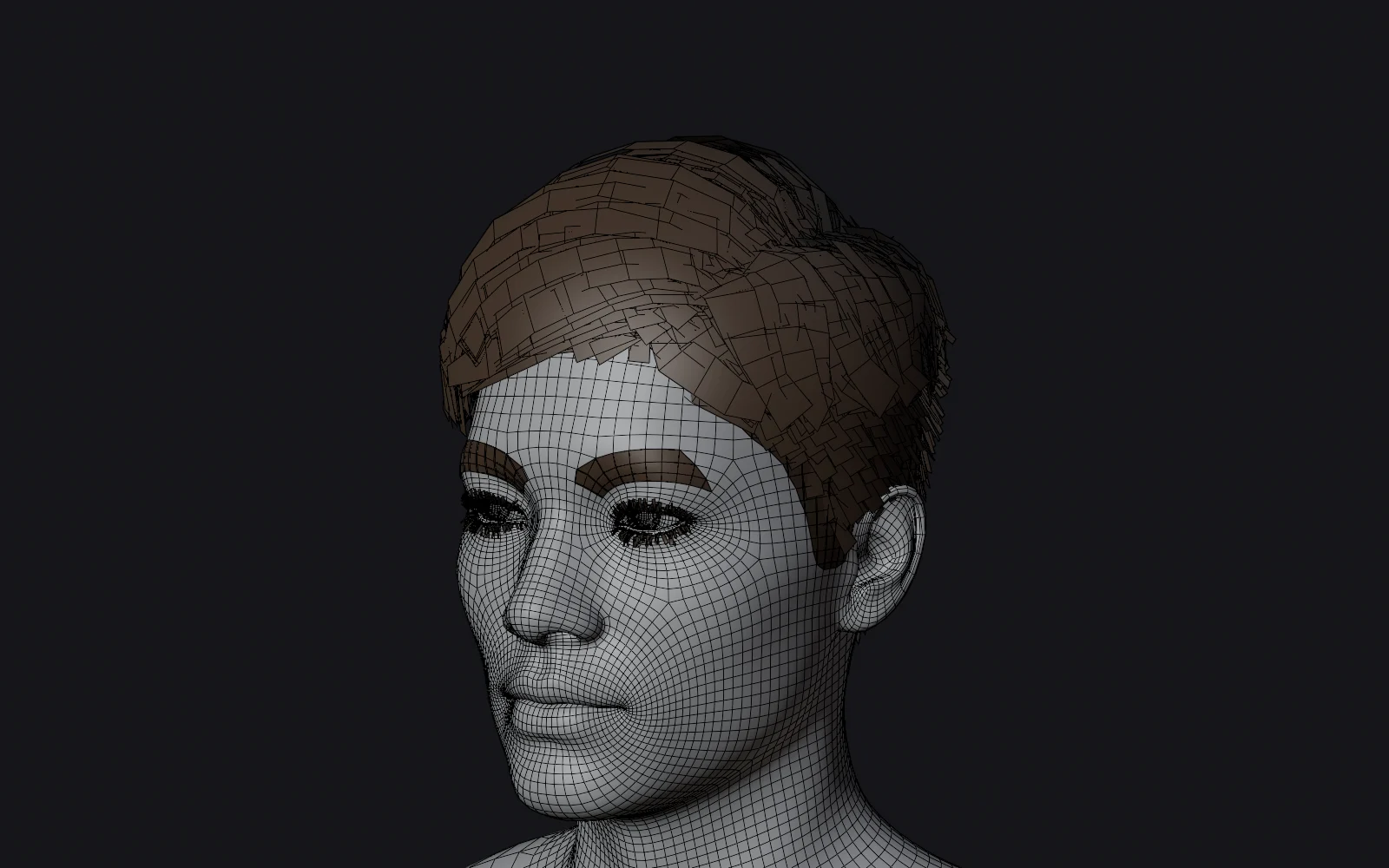 Hair cards
The cards are generated from the strands. Hand-made hair cards will always look better, and some hairstyles come out rougher than others. Check the result in Blender with Keep copy in this file before you commit to a hairstyle for a hero character, and tell us which style came out rough.
What you get
- Cards for the scalp hair and the beard: flat, crossing planes that follow the clumps of the hairstyle. Long hair does not follow the shoulders.
- A haircap, the hair painted on the skin under the cards so the scalp doesn't show through. It is solid under the cards and fades to a film of painted strands towards the hairline. Hair that is too short for cards keeps the film everywhere.
- Eyebrows get a haircap only. Eyelashes are pre-made lash strips, one mesh each.
- Textures per hairstyle: color with the alpha of the strands, normal, roughness and a flow map, baked by Bake Textures.
Quality
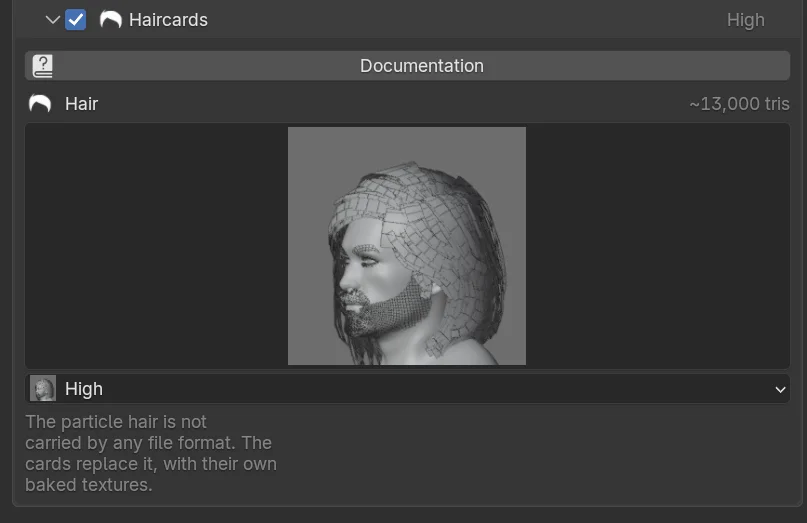
The quality sets the triangle budget of the cards. The thumbnails show what you get; the triangle count next to Hair is the budget for the hair types the selected human has.
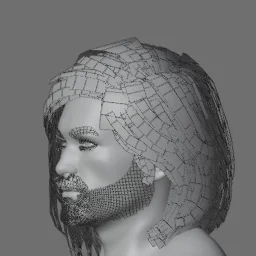
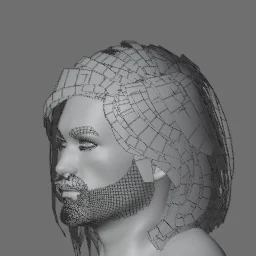
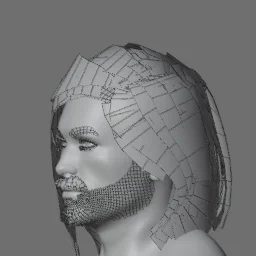
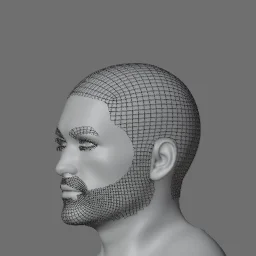
With more than one LOD level every level has its own quality, and its own hair card textures, as the layout of the cards changes with the quality.
Where the triangles go
The budget is spent where it shows. A card in the mass of the hair is one of many layers, which hide that it is flat and where it bends. A lock that hangs free of the rest of the hair shows both, so it gets more segments, which keeps its bends smooth against the background, and a second card across the first, so it is not a line when you look along it. Cards that stand on the head, as in an afro, get that second card too. The cards in the mass of the hair pay for it with fewer segments.
Afros, curls and locks
Hair that stands on the head, like an afro, short curls or a flat top, is looked at along its hairs. Cards that follow the hairs are seen from their side and their tip there, so such a hairstyle used to come out as a see-through burst of spikes. It gets shells as well: cards that lie across the hairs, each a tuft of the surface of the hairstyle with ragged edges, with the hair below drawn onto it as you see it from outside, the outer hairs light and the deeper ones dark. Tall hair gets two layers of them, so the inner one shows through the gaps of the outer one. They cost a few hundred triangles. The cards along the hairs are still there for the outline of the hairstyle.
Curls are told from hair that just bends around the head by how much a hair winds around its own line. A card of curls follows that line instead of the wobble of the average hair, is wide enough to show whole curls and has no highlight, as curls scatter the light. Locks, as in dreadlocks, get one pair of crossing cards each, as the hairs around one parent hair become one clump. Where locks stand apart there are no shells, as you look past them deep into the hairstyle.
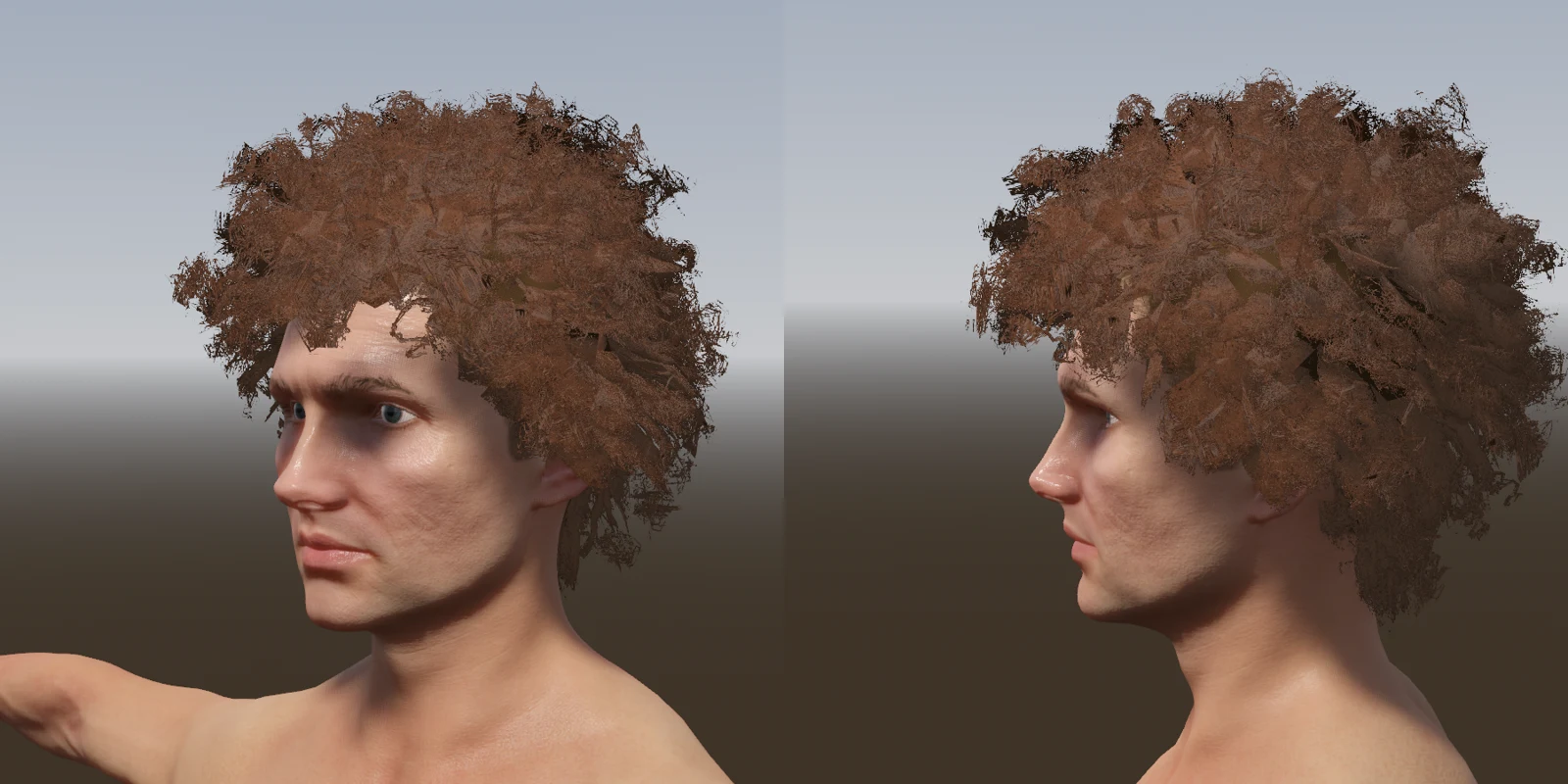 Cards along the hairs only
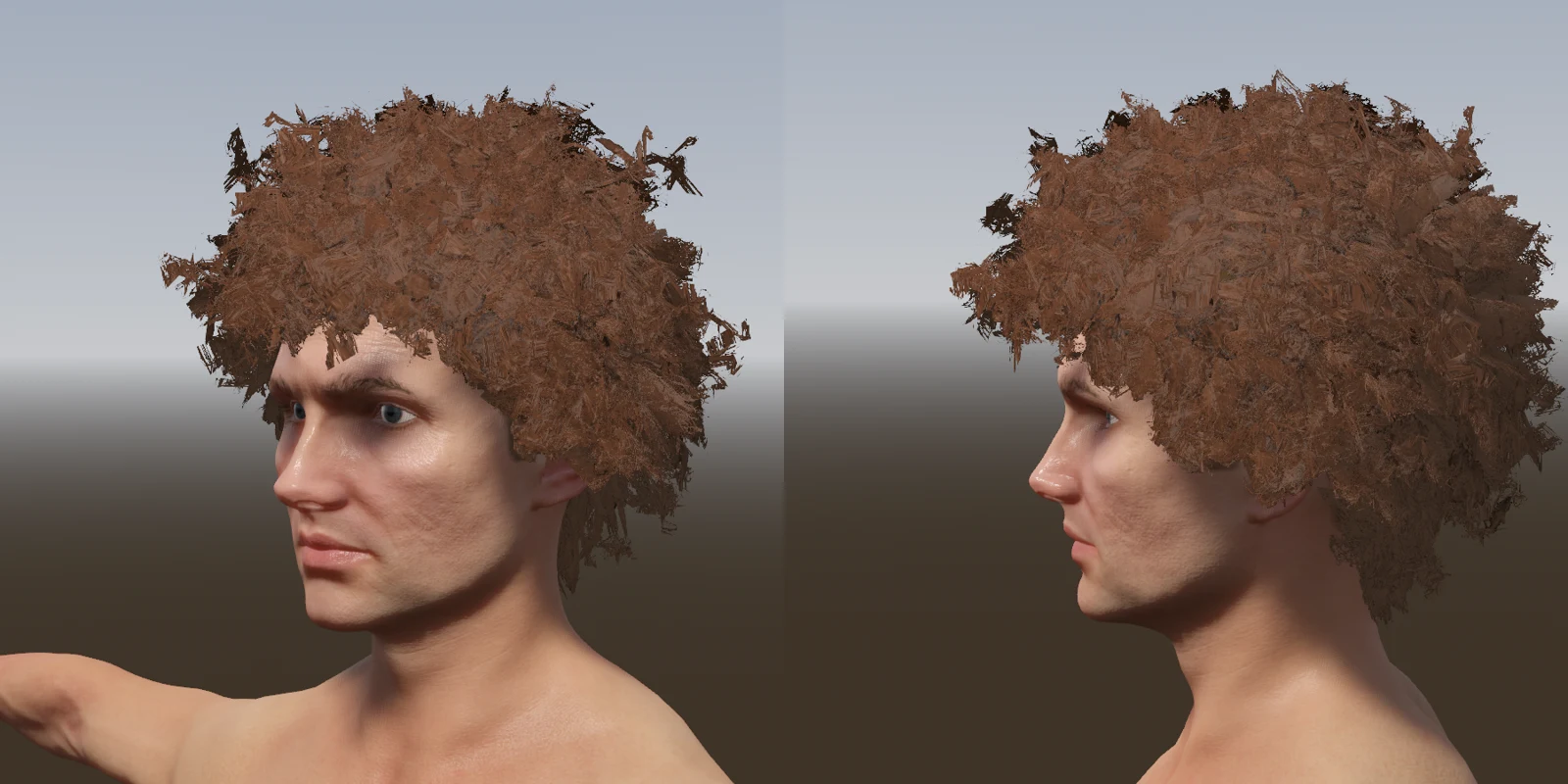 With shells
Haircap on skin or as meshes
With Haircap: On skin (the default) the haircaps of the hair, beard and eyebrows are painted into the textures of the skin when they are baked, and they are not in the result as meshes. The skin is opaque, so there is nothing for the engine to sort or blend, no transparent mesh over the skin, and a few thousand triangles and a material less. At the 2k skin textures of the engine recipes the hair on the skin is as sharp as on a 1k haircap of its own.
Choose As meshes to get the haircaps as blended meshes of their own (Haircap, FaceHair and Eyebrows, next to HairCards and FaceHairCards), when you want to hide or swap the hair in the engine without a second skin texture, or for a bald version of the same character. The option only applies when the textures are baked: a copy in this file without baking keeps its haircaps as meshes. The eyelashes are always a mesh; their textures are the Haircap textures.
In the engine
The cards are made for the alpha clip / cutout materials that game engines use, not for blended transparency, which an engine can't sort between crossing cards. Two things to set on the hair materials in the other program, if its importer or the Companion doesn't do it:
- Use a cutout material (Alpha Clipping in Unity, Masked in Unreal, Alpha Scissor in Godot) at the default threshold of 0.5. Godot is the exception: it discards everything under the scissor before alpha to coverage, which loses the fine strands, so with MSAA on set its scissor to about 0.15 (the Companion does).
- Make the material two-sided, as the cards are single planes.
Keep the texture format at PNG: with JPEG the alpha becomes a separate map that not every importer uses, and the tab warns you when both are chosen. By default the alpha is packed into the alpha channel of the color texture, as engines expect; see Bake Textures.
Why the cards look softer in Blender than in the engine
In Blender the cards render translucent. A game engine can't sort translucent cards, so the export bakes the coverage of the strands instead: full strands with anti-aliased edges, cut out at half alpha, and faded out at the sides of every card. Every strand the hair material draws at a fifth of full opacity or more is solid in the baked alpha, so the fine strands survive the cut-out; below that the alpha fades out as drawn, which alpha-to-coverage and dithering turn into soft edges. The alpha and normal maps are baked at the size of the strand atlas and scaled down, so a strand finer than a texel still counts. Engines average the alpha for their mipmaps, which makes cut-out strands thinner with distance; Unity (Preserve Coverage) and Unreal (Alpha Coverage) can scale the mipmaps so the strands keep their width, and the Companions set that up.
Hair shading
Lit as a flat surface, a card has its highlight across the card and mirrors the sky; real hair reflects along its strands. So the cards also get a flow map (Jake_HairCards_Flow.png): the direction of the strands on the card in the red and green channels and a random value per strand in blue. The Companions use it to shade the cards as hair: a white highlight and one in the hair color that run along the strands, broken up between the strands by the noise, which also varies the color from strand to strand. A plain lit material ignores the map.
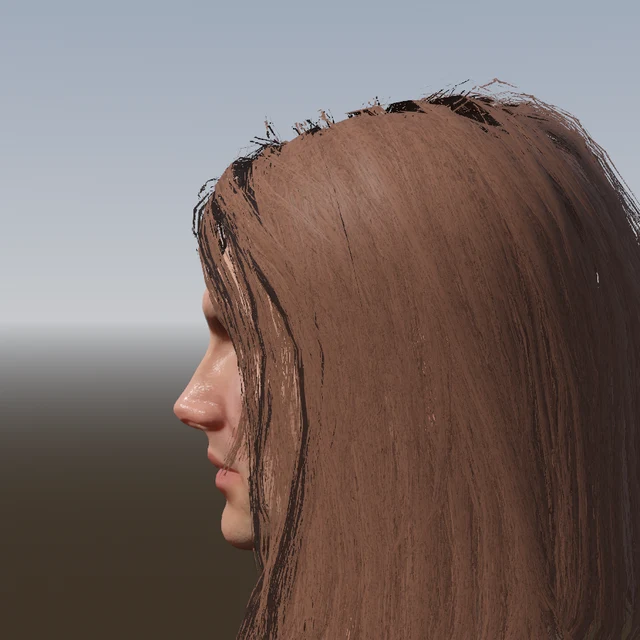 Lit as cards
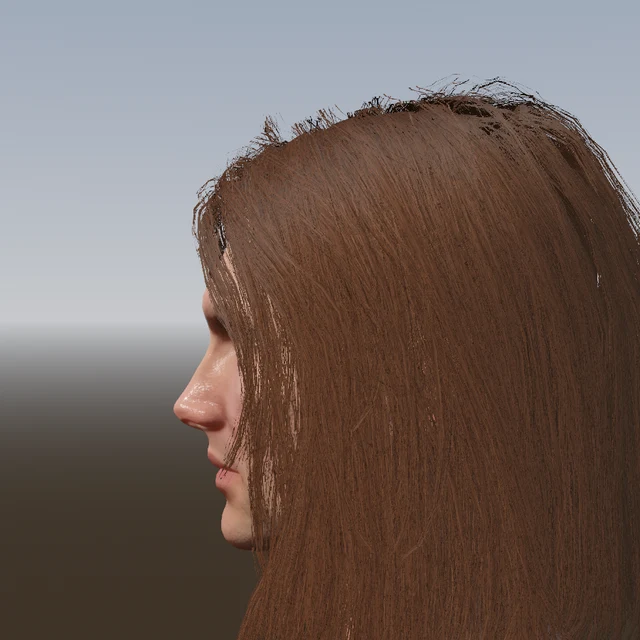 Shaded as hair
What the Companions do with it
In Unity the Companion assigns a shipped URP hair shader, in Unreal the cards get the Hair shading model with the flow map as the strand tangent, in Godot a shipped shader. The Unity and Godot shaders, and the Unreal master material, also fade a card out when you look along it, where it would be a line with all its strands pressed into it; the cards around it, or the card across it, show the hair there instead. The normals of the cards follow the shape of the head, so the whole hairstyle is lit as one volume. With embedded textures the flow map is written next to the file, as an embedded texture can only be one a material input reads.
The strand atlas
The cards are textured with a strand atlas that is generated for the hairstyle. Cards of the same length, width, density and curl share a part of it, and the hairs of their clumps are drawn into that part where they are on the cards, with their width, their own length, their tapered tips and a brightness variation between hairs. So the cards of a short, sparse clump show the hairs it has, a dense clump is dense, the tips of the cards end where the hairs end, and no card is cut through strands at its sides. The atlas is packed into the file with the human and baked along with the other textures. A hair finer than a texel of the atlas is drawn one texel wide, and fewer of them are drawn so the coverage of the clump stays the same; that is what lets fine hair survive the cut-out of a game engine.
When the section is off
The particle hair is not converted. For a file export that means a bald character, and the tab warns you about it. Turn it off for a render copy that stays in Blender, where the particle hair renders fine and looks better.
Hair cards from Python
settings.haircards.enabled = True
settings.lods[0].haircards = "medium"   # "ultra", "high", "medium", "low", "haircap_only"
To convert the hair of a human in place (on a human.duplicate(), the particle hair is removed):
cards = human.process.convert_to_haircards("high")See ProcessSettings › convert_to_haircards and, for one hair type at a time, RegularHairSettings › convert_to_haircards.
Frequently asked questions
Can Blender particle hair be exported to Unity, Unreal or Godot?
Not as particle hair: no file format stores it. Human Generator converts the hair to textured hair cards on export, with baked color, alpha, normal and flow maps, which every engine reads. In the engine the hair material needs a cutout (alpha clip) mode and two sides; the Companions set that up.
Do the hair cards work for beards, eyebrows and eyelashes?
Yes. Beards get cards and a haircap like the scalp hair, eyebrows get a haircap painted on the skin, and eyelashes are pre-made lash strips. With the default Haircap: On skin the caps are baked into the skin textures, so the character has no transparent meshes over the skin.
How many triangles do the hair cards add?
That is the quality you pick: up to 24,000 triangles for the scalp hair at Ultra, 12,000 at High (the default), 7,000 at Medium and 4,500 at Low; beards use less. Haircap only adds no cards at all, for mobile and the last LOD level.