
The Human Generator Guide
This guide goes step by step through the process of creating a human in Human Generator!
Creating a new human:
When no other human is selected, the Human Generator interface will show the options for creating a new human. Select one of the available genders and click the selection square to see the available starting humans. If needed, you can use the categories dropdown to narrow down the selection.
Press Generate new human to generate the selected preset at the location of the 3D cursor (you place the 3D cursor in Blender with shift + right click).
If you've already generated a human, and want to generate another one, but the creation panel is not showing:
- Select an object in the scene that is not part of a human, (i.e. the camera).
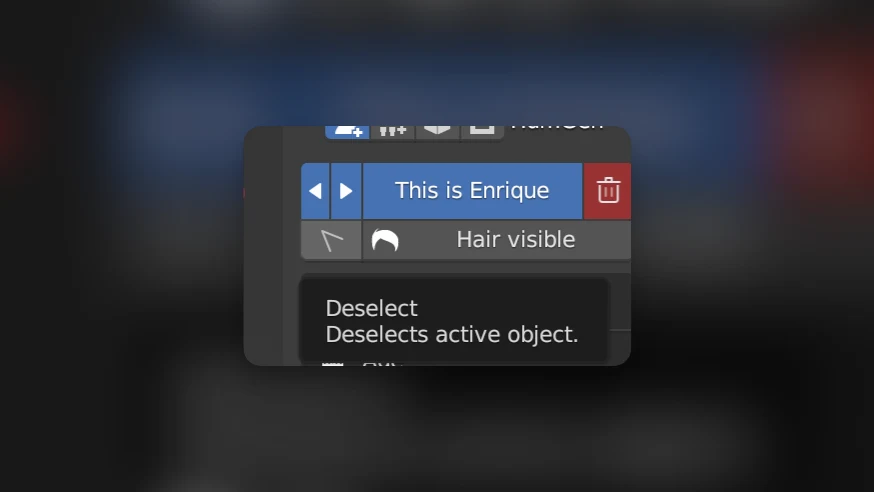
- OR use the
deselectbutton in the header of the Human Generator panel
Python API - Creating new humans
To get a list of possible starting humans, use this code:
from HumGen3D import Human
gender = "female" # or "male"
starting_human_options = Human.get_preset_options(gender)
To create the human in the Blender scene:
chosen_preset = starting_human_options[0]
human = Human.from_preset(chosen_preset)
For more info, see the Overview
You can also add your own starting humans. See Custom starting humans.
Editing the human:
Once a new human has been created, you will see the section overview panel:
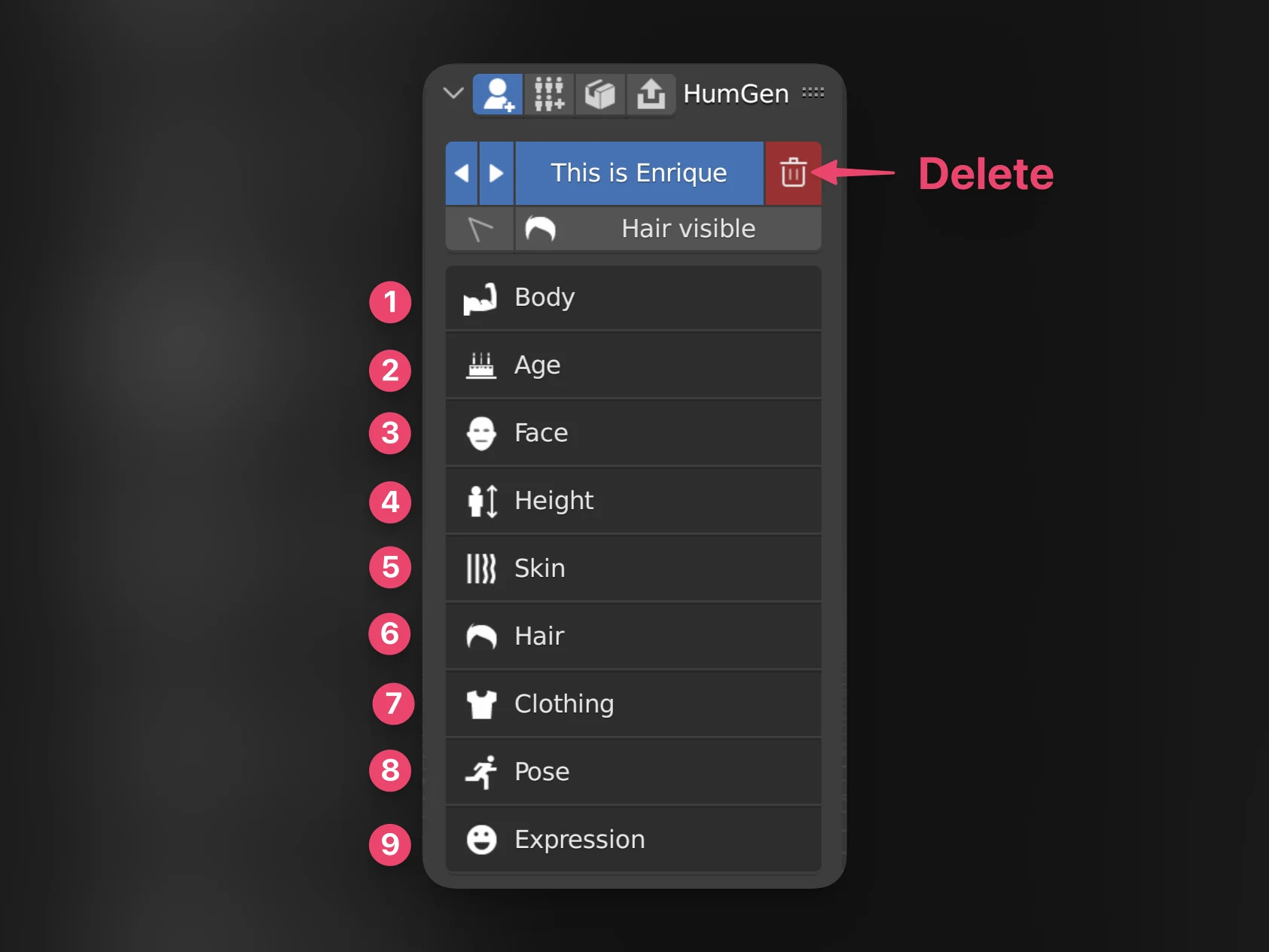
Editing the human is divided into these sections. Click on these links to see the guide for each section.
- Body - Change the body proportions of the human, including muscle and cartoon effects
- Age - Make the human look younger or older
- Face - Change the facial proportions of this human
- Height - Make the human shorter or taller
- Skin - Change the skin material of the human, including eye color
- Hair - Use hairstyles from our library, including eyebrows and facial hair
- Clothing - Add outfits and footwear to the human
- Pose - Posing your human from our library, or with a Rigify rig
- Expression - Options for adding facial expressions, a facial rig, and facial motion capture
Finalising your human
Once you're finished editing, you might want to have a look at these guides:
- Exporting the human to Unity, Unreal Engine, Godot or any other program, or making a lightweight baked copy for rendering
- Generating many humans at once with the batch generator
- Saving your human as a starting human, or saving its clothing, hairstyle or pose to the library