
Face
Part of the Human Generator Guide
The face panel
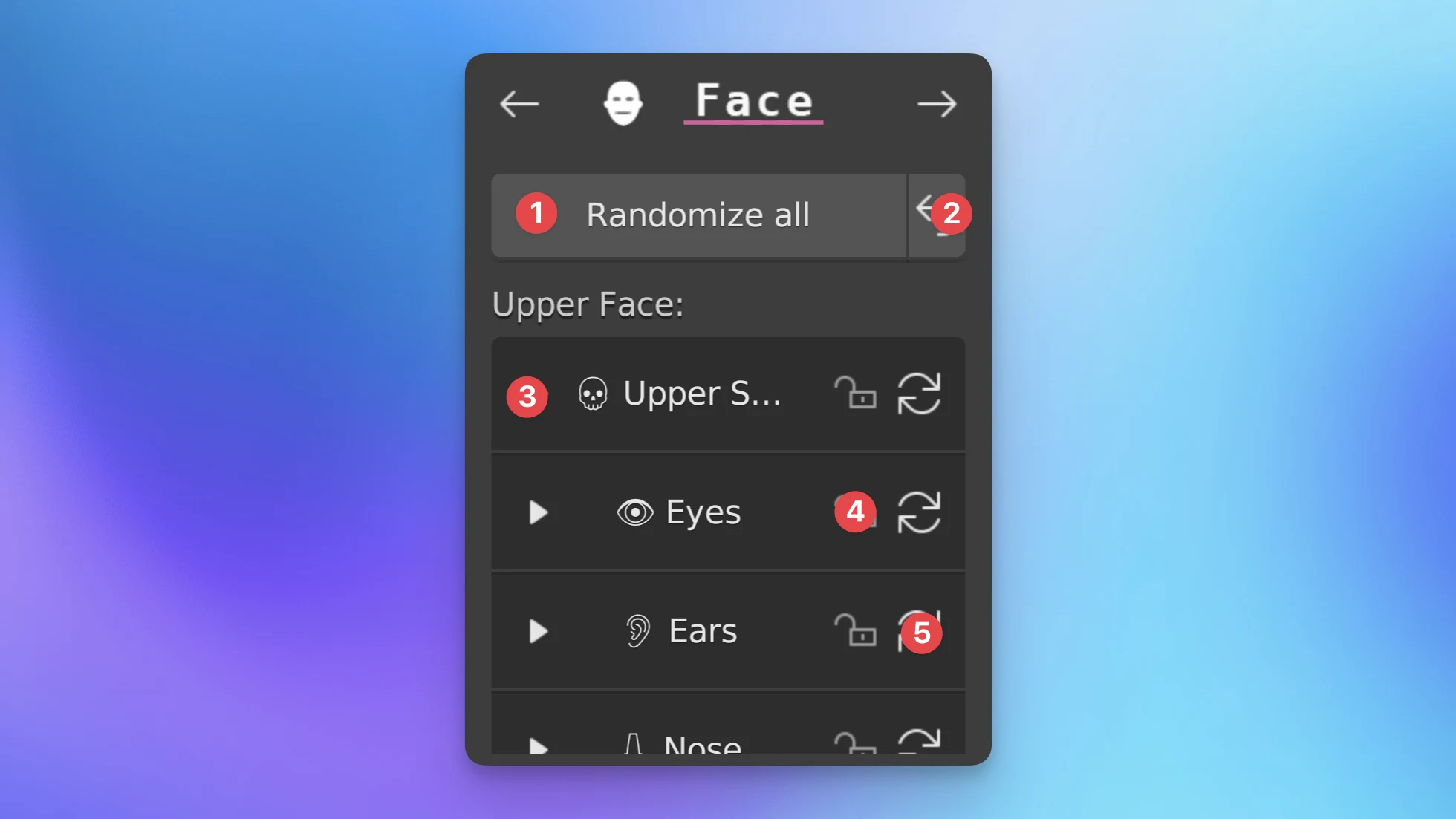
- The randomize button will pick random values for all sliders of the face.
- Reset button: This resets all sliders to their original 0.0 value.
- Slider categories: The sliders are organized into categories. Want to change specific sliders? Click here and the category dropdown will open.
- Randomization lock: Want to randomize the whole face, but keep some specific adjustments locked? Enabling this lock will prevent randomization of all sliders in this category.
- Randomize category button: This will randomize only the sliders within this category.
Slider limits
Want a stronger adjustment than possible with the slider? You can click and manually type in a value between -10.0 and +10.0 to go outside the slider limits.
Add custom face sliders
Want to add extra face sliders? Did you make/sculpt an adjustment and want to use it on other humans too? See Custom shape keys.