
Age
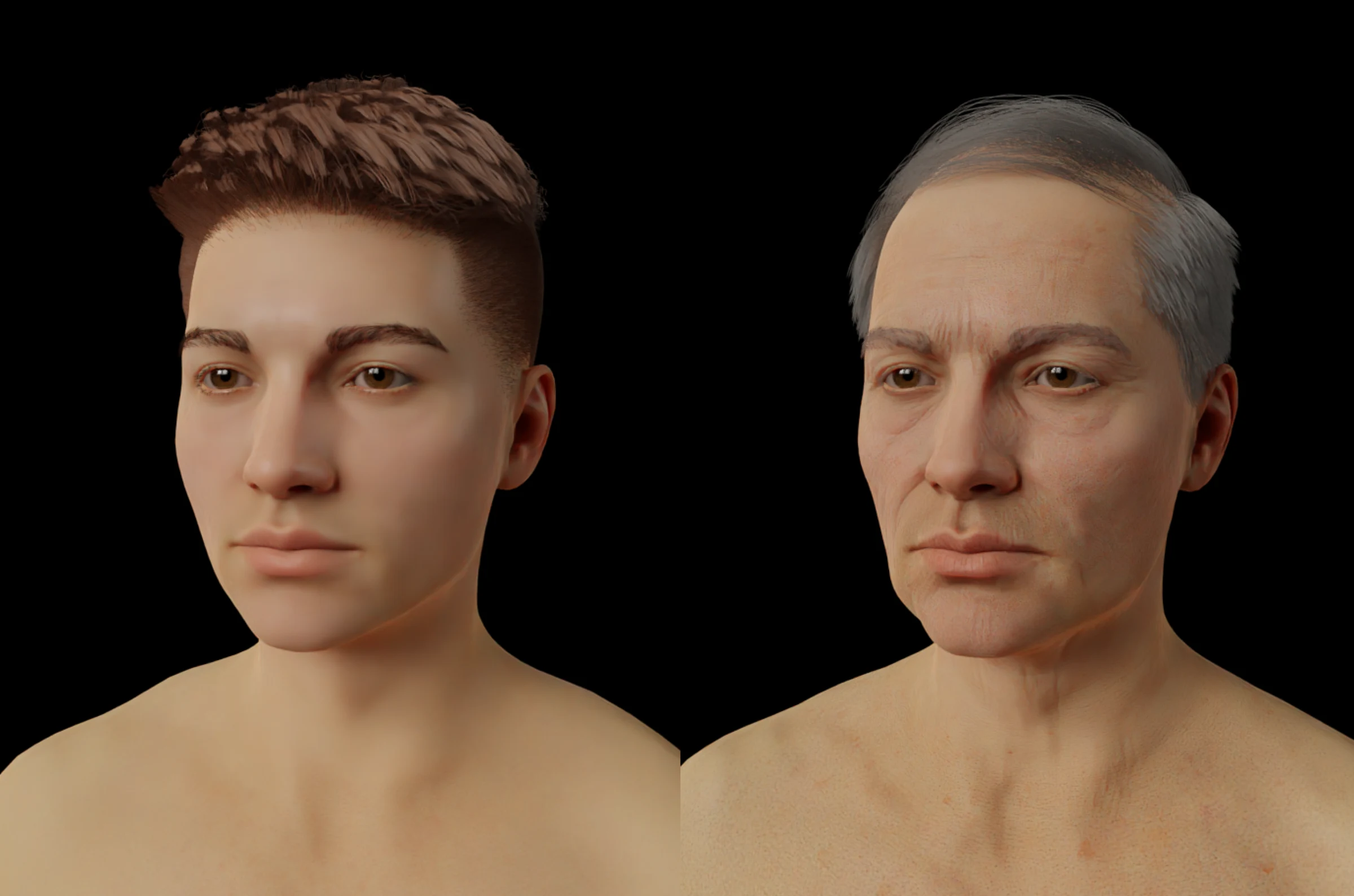
Since version 4, Human Generator includes the option to modify the age of the humans you generate. Our slider can go from 20 years old to 80 years old. These numbers are indications.
We occasionally get asked if Human Generator can generate children or if we will add this feature in the future. To clarify, HG can not generate underage characters and we are also not planning to add this feature. If you would like to hear about the reasons we made this decision, please Contact Us.
Here is an example of the lowest age values possible (left) and the highest possible (right).
The age panel:
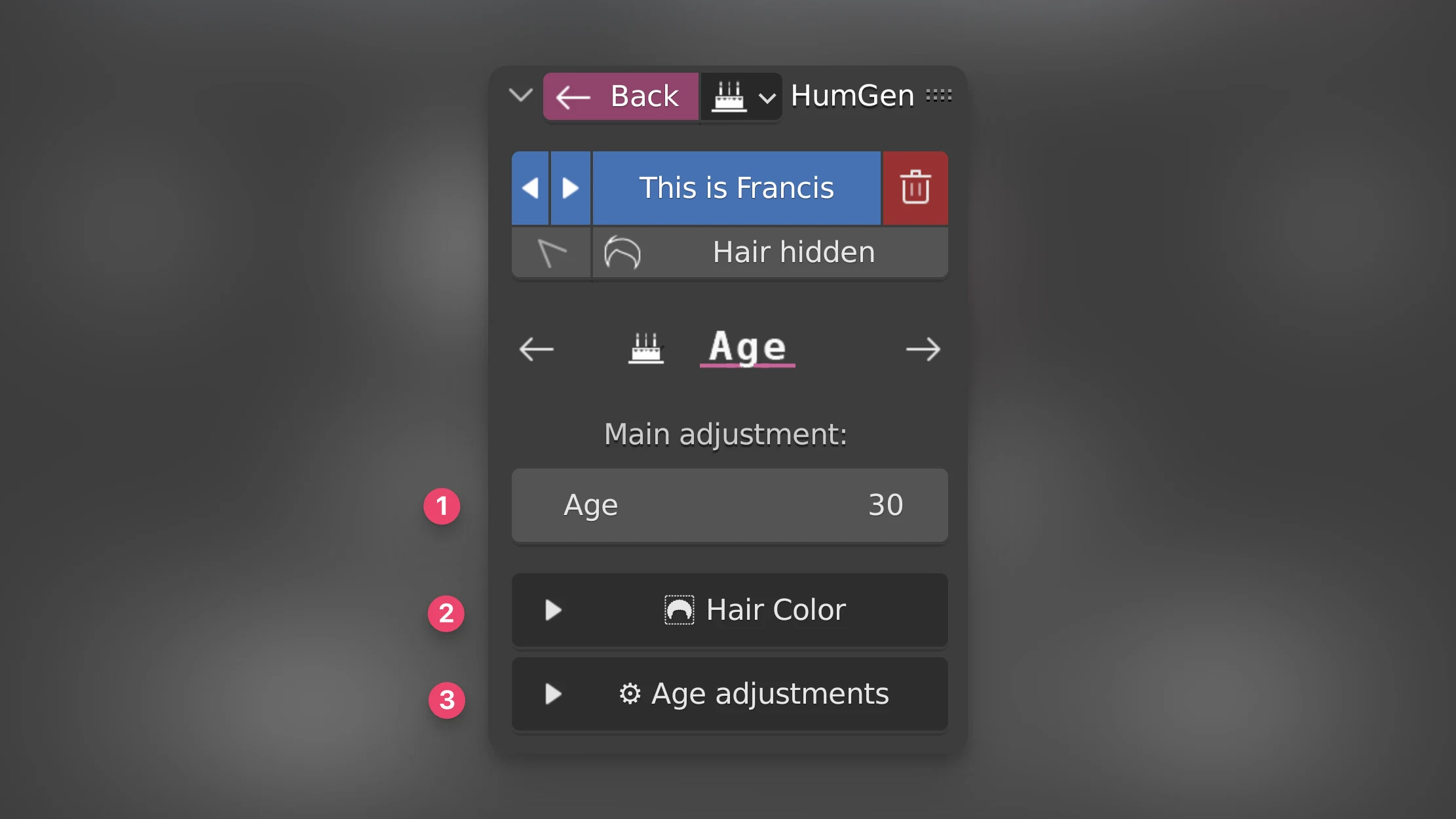
The age panel consists of three parts:
1) The quick age slider
With this slider you can easily go from the youngest age values (about 20 years old) to the highest (about 80 years old).
2) The hair color dropdown
Since the quick age slider doesn't change the hair color, you can manually adjust the color inside this dropdown. The sliders here are copies of the sliders in the Hair panel's material menu. For convincing grey hair, it's recommended to set the lightness values (for both eyes and hair) to 3.0 to 4.0 and the redness value of the eyebrows around 0.5 and 0.0 for the redness of the main hair. If you want greying hair you can use the Salt and Pepper slider to add some white hairs here and there throughout otherwise still coloured hair.
3) Further age adjustments
Here you will find the individual sliders that the "Age" slider changes. You can fine tune the individual adjustments here.