Invalid File Structure Error
Did you by chance download the content packs with Safari? Safari is known to auto-unzip files you download. Because Human Generator uses a custom file structure for the content packs, you can't simply re-zip the files.
The easiest ways to get around this issue are:
- Turn off auto-unzipping in Safari, and re-download the packs.
- Download the packs with another browser, like Chrome.
If you don't want to re-download:
If your internet speeds would make it very slow to re-download the packs, you can manually re-zip the content packs without root folder like this:
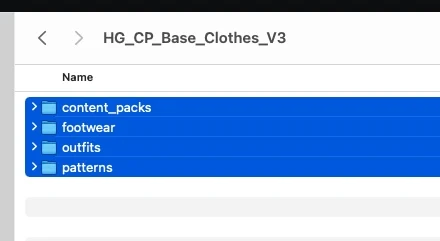
- Open each pack that was automatically unzipped by Safari, and select all folders inside:
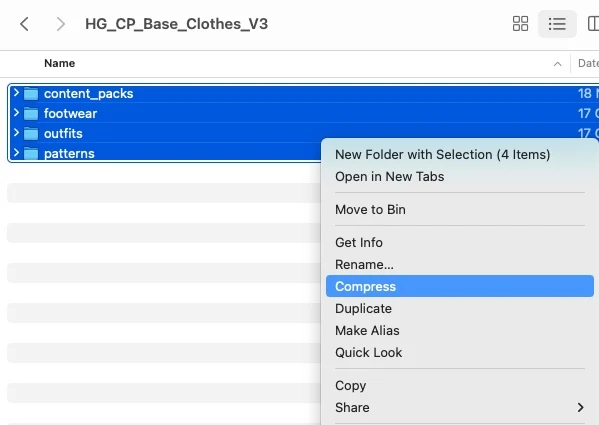
- Ctrl+Click or Right Mouse button click and press 'Compress':
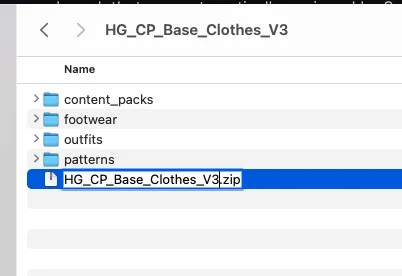
- Rename the created Archive.zip to the exact same name as the content pack folder you downloaded: